


Payment Portal

Payment Portal via QR Code

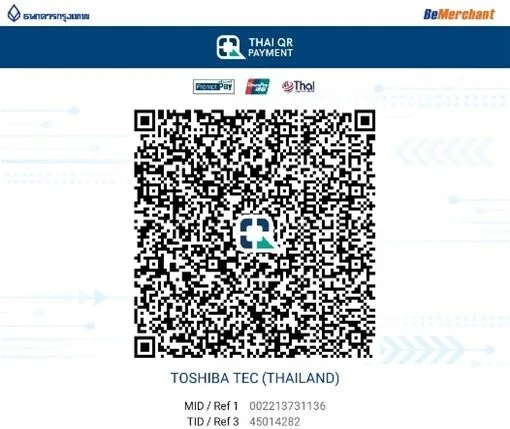
Welcome to our QR payment portal page. To ensure a smooth and reliable transaction process, kindly find our official QR Code for make your payments easy and faster.

You may complete your payment by following these steps:

1
Open your preferred banking application on your mobile device.
2
Select the QR Pay/Scan
3
Scan the official QR Code displayed.
4
Enter the payment amount and confirm the transfer.
5
Save or screenshot your payment slip as proof of transaction

The QR Code is strictly for payments to our company account. Please do not use it for any other purposes.

If you experience any difficulties while making your payment, please click here [Contact Us]
Select the fields to be shown. Others will be hidden. Drag and drop to rearrange the order.
  • Image ภาพ
  • pa_copy
  • pa_dimension
  • pa_display
  • pa_duplexing
  • pa_e-filling
  • pa_fax
  • pa_hdd
  • pa_interfaces
  • Memory
  • Operator Display
  • pa_print
  • Print & Copy Speed
  • Print Method
  • Print Speed
  • Processor / CPU
  • pa_resolution
  • pa_scan
  • pa_security-hdd
  • pa_weight
  • pa_control-panel
  • Print Resolution
  • pa_copy
  • pa_dimension
  • pa_display
  • pa_duplexing
  • pa_e-filling
  • pa_fax
  • pa_hdd
  • Memory & CPU
  • Scan Speed (Resolution)
  • Supported Paper Weight
  • Supported Paper Size
  • Max. Paper Capacity
  • Document Feeder
  • Finishing Option
  • Warm-Up Time
  • Memory / Storage
  • Interface
  • Print Length
  • pa_print-size-weight
  • Print Width
  • Printhead
  • RFID Ready
  • pa_scan-speed
  • Security
  • User Interface
  • pa_weight
  • Media Paper Width
  • Supported OS
Compare เปรียบเทียบ
Compare เปรียบเทียบ ×
Let's Compare มาเปรียบเทียบกัน Continue Browsing เรียกดูต่อ